How Remodara works
What is Remodara?
Remodara is a free tool that shows you what a room could look like after a remodel. You upload one photo and get an AI preview of new finishes on your actual room. 3 free renders a month. No credit card.
Four steps
- Sign up on the home page.
- Upload one photo of your room. Stand in a doorway or corner, lights on, and get the whole room in.
- Pick a style or describe the change.
- Get your labeled AI preview, with a link to your original photo. Save it and share it.
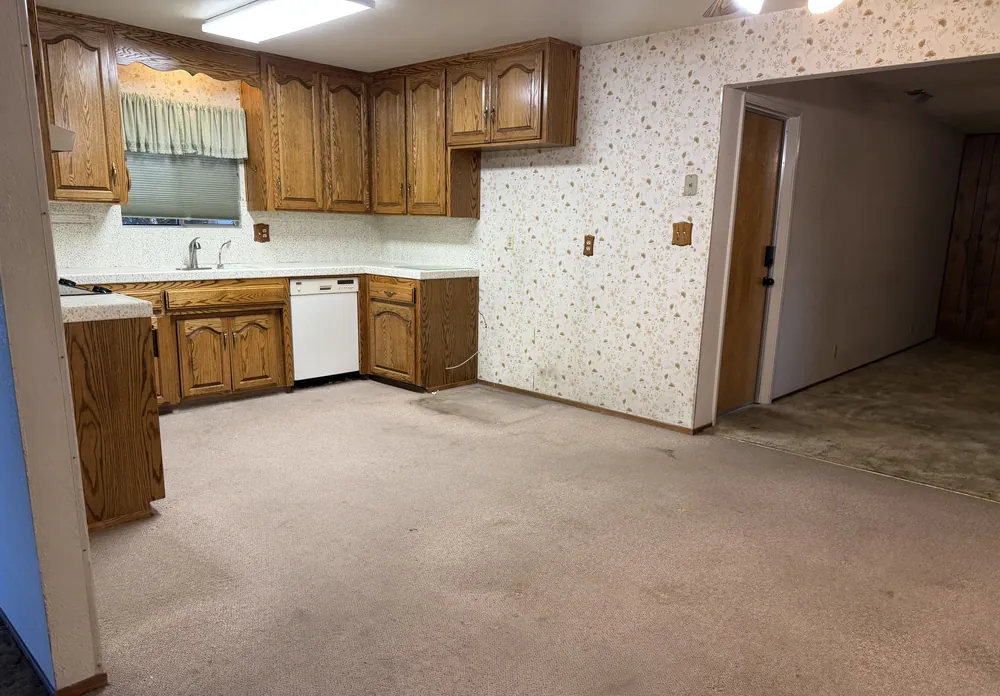 Before
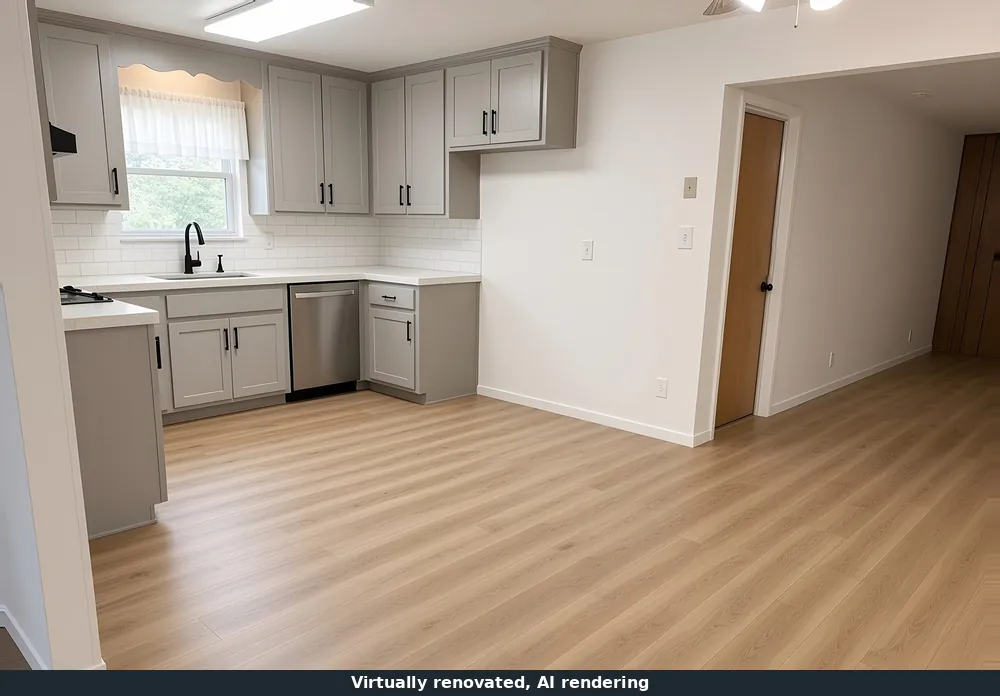 Virtually renovated, AI rendering
Questions
How do I start?
Sign up on the home page, then upload a photo of the room. Pick a style or describe the change you want.
Is the preview a plan or a quote?
No. It is a labeled AI preview of possible changes. It does not measure your room, check what is behind the walls, or price the work. A licensed pro confirms what can be built and what it costs.
Does Remodara find contractors or collect bids?
Not today. Remodara does not have local pros or a bid service yet. Your renders are yours to share with any pro you choose.
How are AI images labeled?
Every altered image on Remodara carries the label "Virtually renovated, AI rendering" and a link to the original, unaltered photo.
What rooms work?
Kitchens, bathrooms, living and family rooms, and backyards. Any clear phone photo of the whole room works best.
What happens to my photo and info?
We use them to make your renders and run the service. See our Privacy Policy for what we collect and your choices.
Read the Privacy Policy and Terms. Questions: [email protected].